Cart drawer
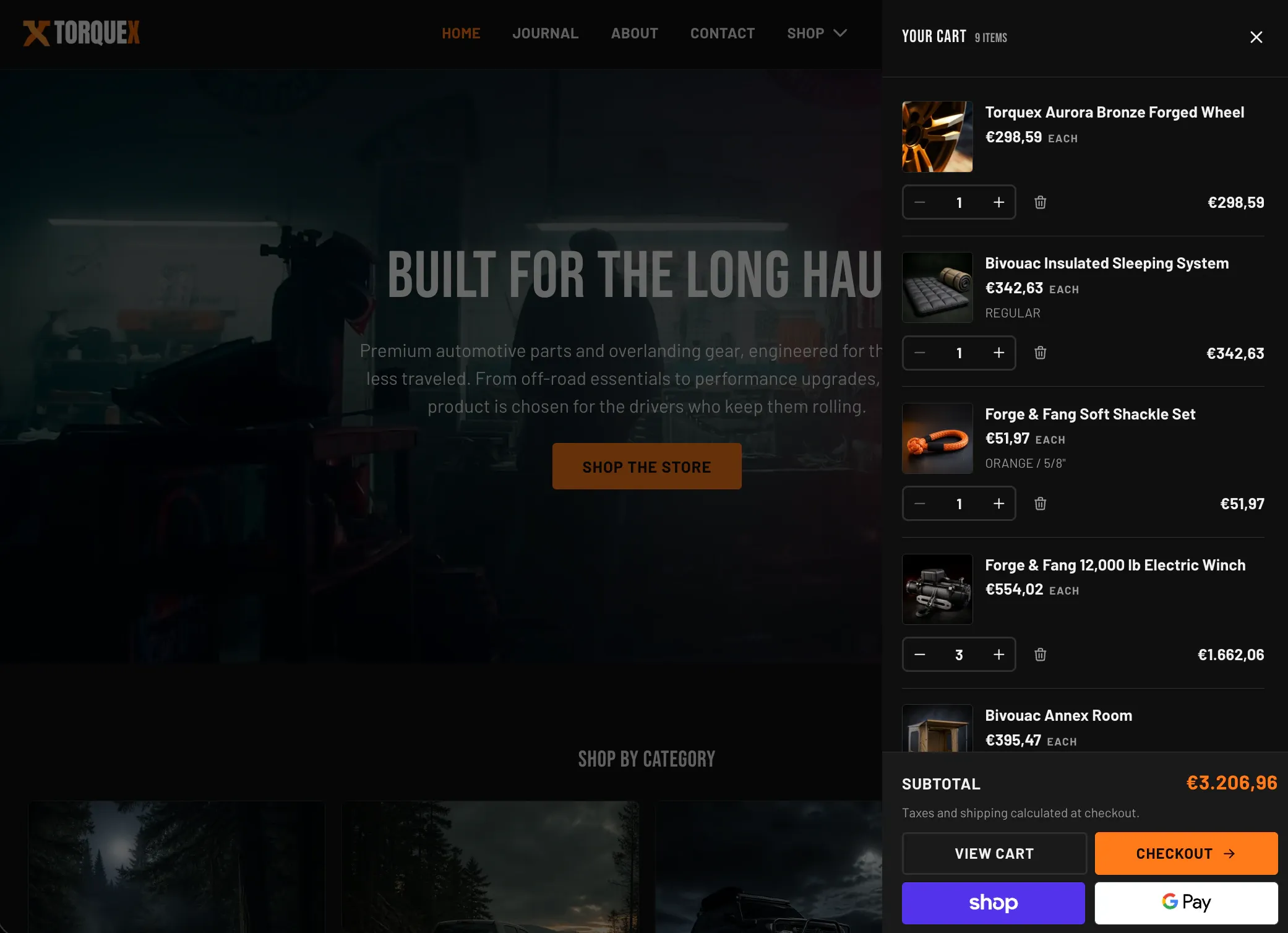
The Cart drawer is the slide-in cart panel that opens from the side of the screen when a customer adds a product. Like the popups, it lives in the Popups and drawers group in the editor, but it is part of the theme chrome — you do not place it on a template manually and it has no editable settings of its own.
Enabling the drawer
Section titled “Enabling the drawer”The drawer is controlled by a single store-wide setting, Theme settings → Cart → Cart type:
- Drawer — the cart drawer renders and adding a product opens it instead of navigating away.
- Page — the drawer markup is not output and customers land on the full cart page at
/cartinstead.
The cart page always exists at /cart regardless of this setting (the drawer’s View cart button links to it), so even with the drawer enabled customers can still open the full page. For choosing between the two experiences, the Cart icon, and the full-page cart’s own options, see Cart & checkout.
What the drawer shows
Section titled “What the drawer shows”Per line item, the drawer displays:
- Product image, title, and unit price (with a per-unit price for products sold by measurement).
- Variant title (when the product has more than one variant) and SKU.
- Subscription / selling-plan name and any line-item properties (internal properties prefixed with
_are hidden). - Quantity stepper and a remove button.
- Line total, with the sale price highlighted and the compare-at price struck through when on sale.
- Automatic discount labels for any line-level discount on that item. Cart- and order-level discount labels are shown on the full Cart page, not in the drawer.
The drawer footer shows the Subtotal, a tax/shipping note, a View cart link, and a Checkout button. When a customer’s cart is empty, the drawer shows the empty-cart message and a Continue shopping link.
Related: Cart & checkout · Newsletter popup · Torquex support replies within 12 hours.