Hero slideshow
A rotating, full-width banner carousel. Each Slide is its own block with independent media, text, and call to action — so you can run multiple promotions in one space.
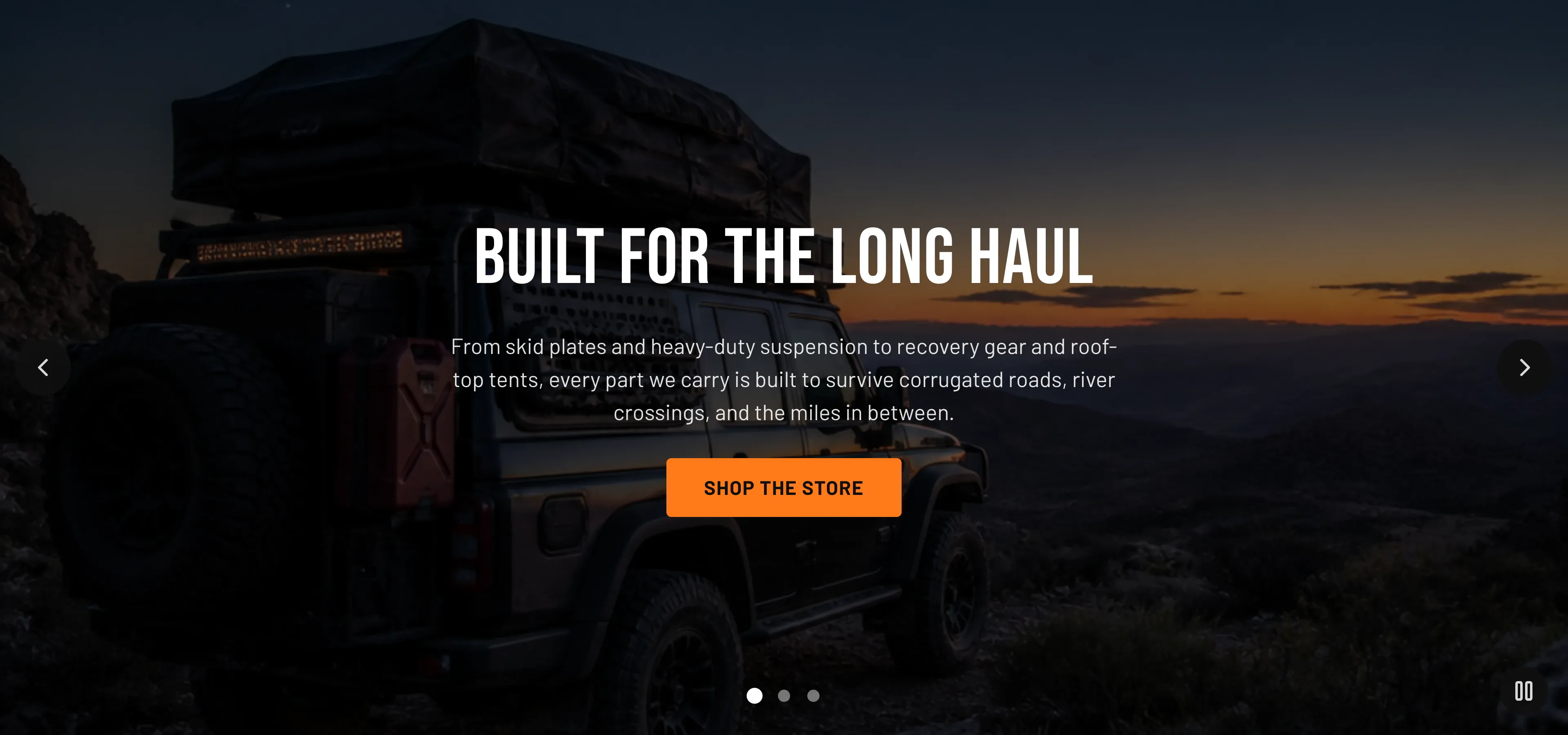
Key section settings: Auto-rotate slides (on/off), Change slides every (3–12s), Show arrows, Show dots, Color scheme, and Minimum height (300–900px). The slideshow accepts up to 8 slides. Autoplay pauses on hover and focus, respects the visitor’s reduced-motion preference, and exposes a play/pause control whenever a slide contains video, or when autoplay is on and there is more than one slide.
Slide block settings (per slide):
| Setting | What it does |
|---|---|
| Slide type | Image or Video background. |
| Background image / Image alt text | The background image for image slides. Image alt text describes whichever image the slide shows — the background image on image slides, and the fallback image on video slides — so set it for every slide type. |
| Background video (Shopify-hosted) / Background video URL (YouTube / Vimeo) / Fallback image | Video sources and a poster image for video slides. |
| Overlay opacity | Per-slide darkening, 0–90%. |
| Heading / Subheading | Slide copy. |
| Button label / Button link / Button style | Per-slide call to action (Filled or Outlined). |
| Content position | Left, Center, or Right. |
| Text color | Light or Dark for that slide’s media. |
When to use it: Choose the slideshow over a single hero banner when you have multiple headline messages to feature (a sale, a new arrival, and a brand story, for example). For one clear message, the single Hero banner loads lighter and is simpler to manage.
Related: Hero banner · Homepage · Torquex support replies within 12 hours.