Featured product
A single product presented with a full buy box, the same building blocks as a product page. Great for spotlighting a hero SKU or a new release on the homepage.
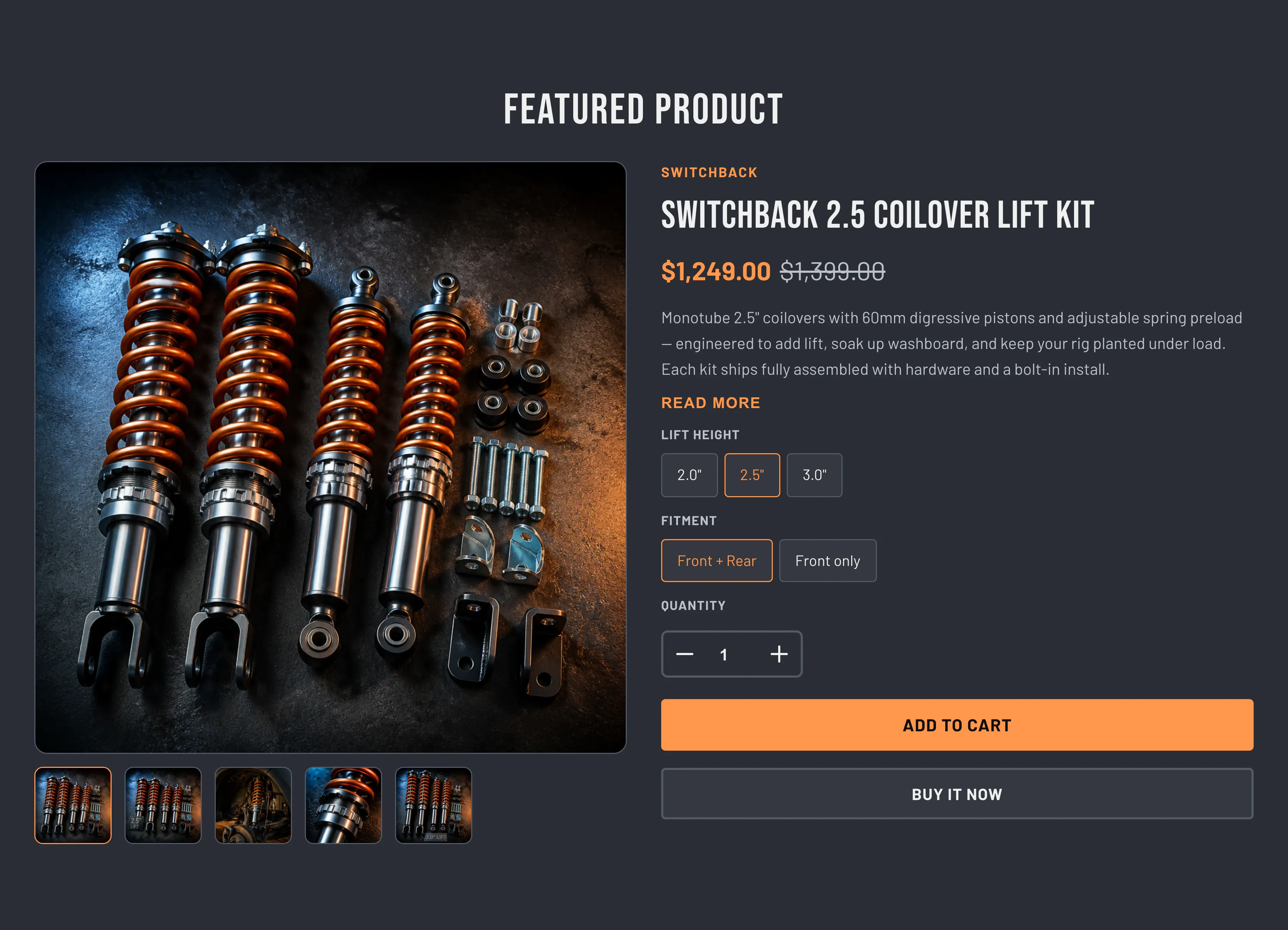
Key section settings: Product (the product to feature), Heading, Enable image zoom on click (off by default), Color scheme, and standard Section padding (Top / Bottom, 0–120 px, default 80 px each).
Blocks: the section is built from product blocks you add and reorder, the same product blocks used on the product template (minus the Pickup availability and Fitment checklist blocks, which are product-page only). Available blocks include Product vendor, Product title, Product SKU, Product price, Product stock indicator, Product badges, Variant picker, Quantity selector, Buy buttons, Product description, Share on social media, Sales point, Custom text, Custom Liquid, and app blocks. The default arrangement is vendor, title, price, description, variant picker, quantity, buy buttons, then share. For what each block does, see Product pages.
When to use it: Promote one specific product and let visitors buy it without leaving the homepage. To compare several products instead, use the Compare products section (Compare products).
Related: Featured products · Product pages · Torquex support replies within 12 hours.