Statistics
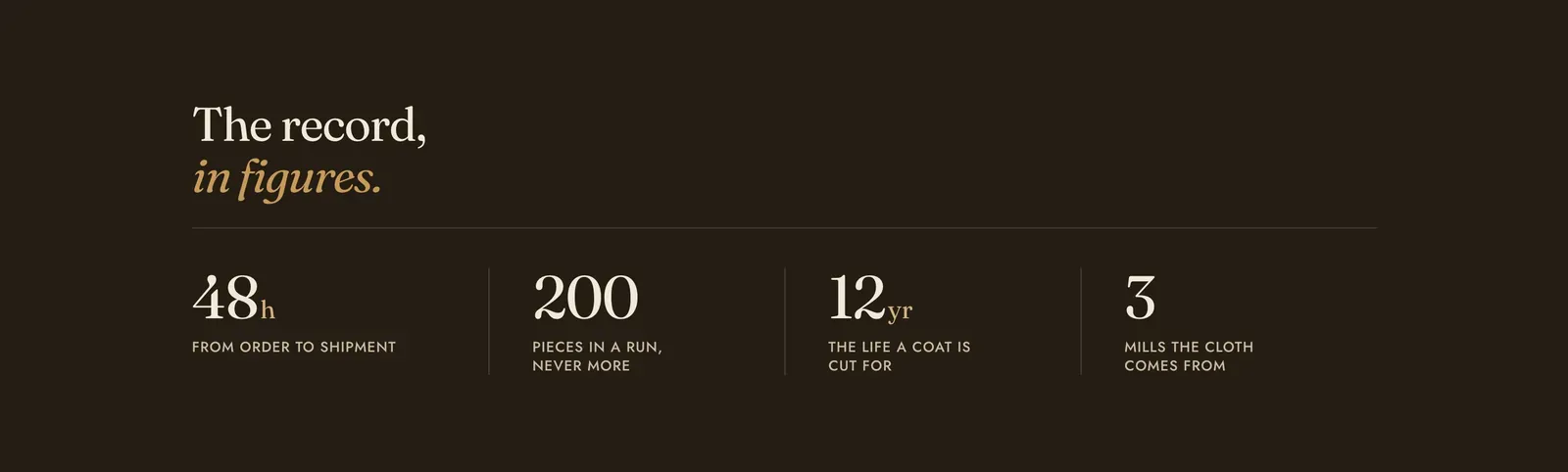
A row of numbers that are meant to be read as a set. Each Figure block is one column: a value, an optional unit set smaller beside it, and a label underneath.
What it does: States the facts a store is willing to be held to: how fast it ships, how many it makes, how long a piece is cut to last. Because the figures sit side by side, they read as a record rather than four separate claims.
Key settings (in the section’s settings):
| Setting | What it does | Default |
|---|---|---|
| Color scheme | Section colors. It arrives dark, which is what separates the band from the page around it. | scheme-night |
| Heading width | Narrow, Normal, Wide, or Full width. | Wide |
| Heading alignment | Left, center, or right. | Left |
| Subheading | An optional small label above the heading. | Empty |
| Heading | The band’s headline. Italicize a word to set it in the emphasis font. | ”The record, in figures.” |
| Intro text | An optional line under the heading. | Empty |
| Count up the figures | Runs each number up from zero as the band comes into view. | On |
The section also carries a Section spacing group. Pick a Device of Desktop or Mobile, then set Top and Bottom padding from 0 to 200px. Desktop starts at 100px and mobile at 60px.
Blocks: Figure, plus a Custom Liquid block for a figure you need to calculate.
| Setting | What it does | Default |
|---|---|---|
| Value | The number. It is plain text, so “200”, “1,000” and “Two hundred” all work. Only a numeral counts up. | ”200” |
| Unit | A short suffix set smaller and tighter against the value: “h”, “yr”, ”%”, “kg”. | Empty |
| Label | What the figure means. This is the field doing the work. A number with no label is just decoration. | ”Pieces in a run, never more” |
When to use it: Use it once on a page, for figures that make one argument together. For quantities that only mean something relative to each other, use Bar chart, which draws the proportion instead of stating it.
Related: Bar chart · Spec table · Icon list · Lapels support replies within 12 hours.