Hero scroll sequence
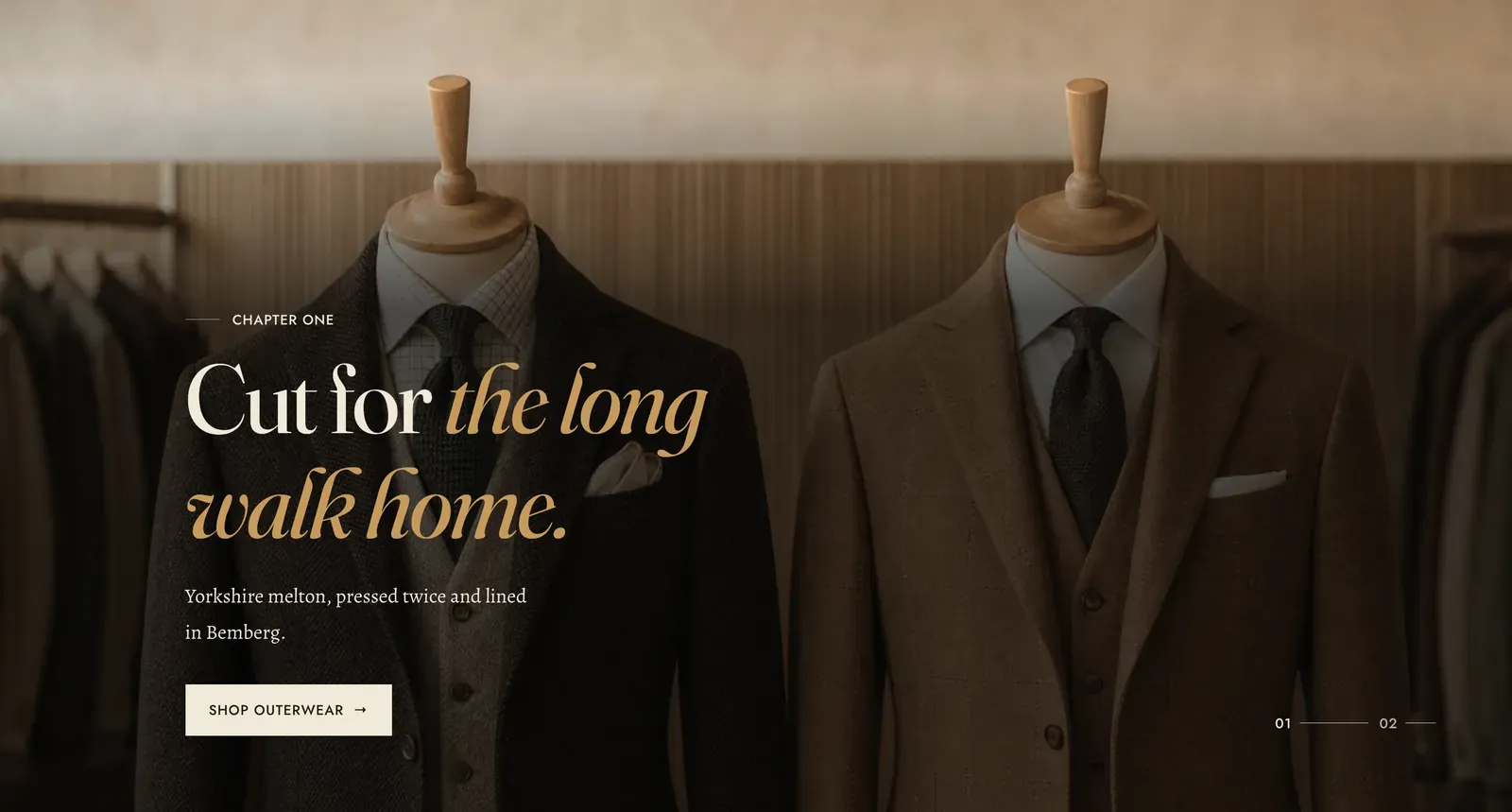
A run of full-screen frames that hold still while the page scrolls through them. Each Image frame or Video frame block is one chapter: it arrives, holds long enough to be read, and hands over to the next.
What it does: Tells a story in order. A slideshow rotates whether or not anyone is watching, and a visitor can scroll straight past it. A scroll sequence advances because they are scrolling, so every chapter is seen, in the order you wrote them.
Key settings (in the section’s settings):
| Setting | What it does | Default |
|---|---|---|
| Color scheme | Section colors. | scheme-paper |
| Scroll pace | How much scrolling each frame costs. Choose Brisk, Steady, or Slow. Slow holds each chapter longer and makes the whole section taller. | Steady |
| Direction | Which way the wash runs over the picture. Choose Bottom, Beside the text, or None. | Bottom |
| Overlay strength | Soft, Medium, or Strong. | Strong |
Blocks: up to 6, either kind.
| Setting | What it does | Default |
|---|---|---|
| Image / Video | The frame’s media. A video frame also takes a Poster image. | Empty |
| Mobile image | Image frames only. An optional file cropped for narrow screens. | Empty |
| Heading width | Narrow, Normal, Wide, or Full width. | Normal |
| Subheading | The small label above the heading. The defaults read “Chapter one”, “Chapter two” and so on, which is the shape this section is written for. | ”Chapter one” |
| Heading | The chapter’s line. Italicize a word to set it in the emphasis font. | ”Cut for the long walk home.” |
| Intro text | One sentence under it. Keep it to one, because the frame is already holding the reader still. | ”Yorkshire melton, pressed twice and lined in Bemberg.” |
| Button link and Button label | Clear the label to leave the button off. | ”Shop outerwear” |
| Alignment | Left, Center, or Right. | Left |
When to use it: Use it to walk a visitor through something in order: the making of a piece, the parts of a wardrobe, the chapters of a season. When the frames have no order and are meant to be browsed rather than read, use Slideshow. When there is only one statement to make, use Media hero.
Related: Media hero · Slideshow · Timeline · Media row · Lapels support replies within 12 hours.