Related products
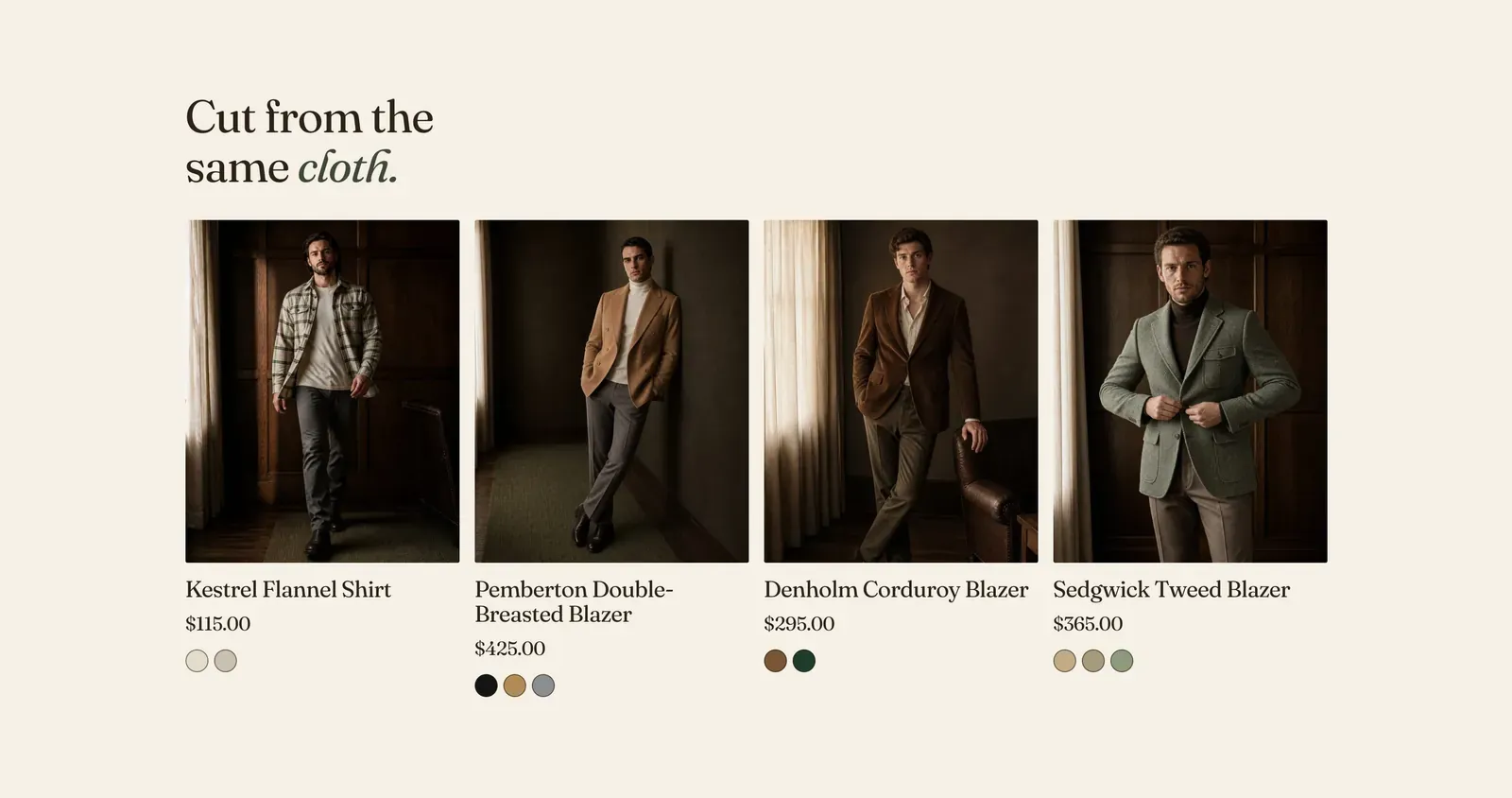
A grid of products Shopify picks for whichever product the visitor is looking at. There is nothing to choose by hand. The list comes from the store’s own catalog and order history, and it changes as the store does.
This section only works on a product page. It reads the product being viewed, so it is available on the Product template and nowhere else.
What it does: Keeps a visitor moving after the piece they arrived for. It comes in two forms, which are the same section with a different Recommendation type.
- Related products. Other pieces like this one, for the customer who is not yet sure.
- Complementary products. Pieces that go with this one, for the customer who has decided and now needs the trousers.
Key settings (in the section’s settings):
| Setting | What it does | Default |
|---|---|---|
| Color scheme | Section colors. | scheme-paper |
| Recommendation type | Related or Complementary. Shopify builds both from the store’s catalog and its order history. | Related |
| Products to show | 2 to 10. | 4 |
| Heading width | Narrow, Normal, Wide, or Full width. | Wide |
| Heading alignment | Left, center, or right. | Left |
| Heading | The headline. Italicize a word to set it in the emphasis font. | ”Cut from the same cloth.” |
| Columns on desktop | 2 to 5. | 4 |
The section also carries a Section spacing group. Pick a Device of Desktop or Mobile, then set Top and Bottom.
Blocks: a Custom Liquid block only.
When to use it: Use one near the foot of the product page. Many stores use both. Put Complementary directly under the buy area, where “what goes with it” is the live question, and Related further down. To end the page on what the visitor themselves has been looking at, use Recently viewed.
Related: Recently viewed · Product template · Product bundle · Lapels support replies within 12 hours.