Rich text
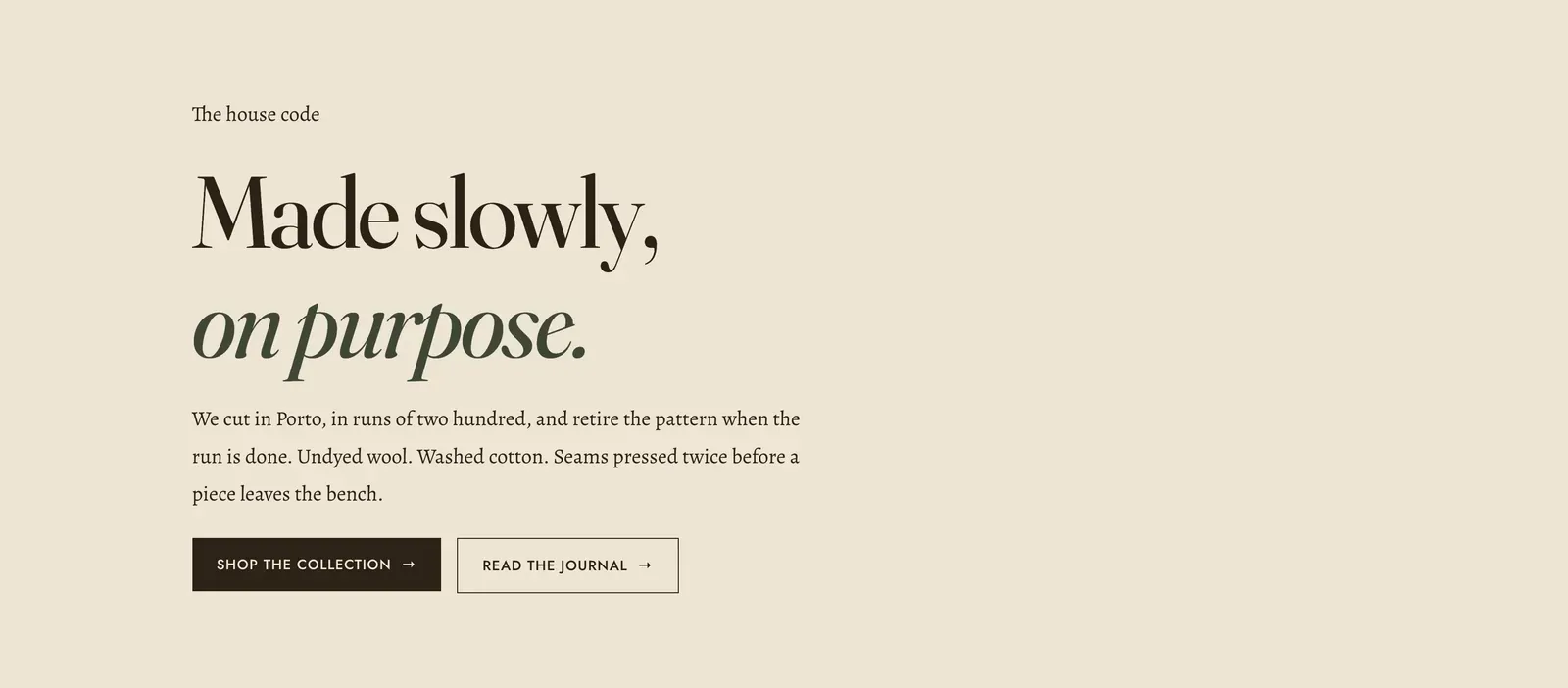
A column of copy with nothing around it. Like Media hero and Image with text, it has no fixed content of its own. You stack content blocks into it.
What it does: Gives words a section. When a page needs a statement, an explanation or a set of buttons and a photograph would only get in the way, this is the frame.
Key settings (the whole section):
| Setting | What it does | Default |
|---|---|---|
| Color scheme | Section colors. It arrives on the ecru ground, which is what separates it from the sections above and below without drawing a box. | scheme-ecru |
| Content width | Narrow keeps the column at a comfortable reading width. Default lets it run to the page’s normal width. | Narrow |
| Alignment | Left, center, or right. | Left |
The section also carries a Section spacing group. Pick a Device of Desktop or Mobile, then set Top and Bottom padding from 0 to 200px. Desktop starts at 96px and mobile at 56px.
Blocks: any of the content blocks. Those are Heading, Text, Icon with text, Image, Video, Button, Group, Countdown, Deal countdown, Trust badges, Testimonial, Divider, Spacer, and Custom Liquid.
As it arrives it carries four: a Text block in the intro style, a display Heading, another Text block, and a Group in row direction holding two buttons.
When to use it: Use it for a statement between two visual sections, or as the body of an About page. For the same copy beside a picture, use Image with text. For one line set large as a banner, use Text banner. For a long passage set as a magazine spread, use Text columns.
Related: Content blocks · Image with text · Text columns · Text banner · Lapels support replies within 12 hours.