Media hero
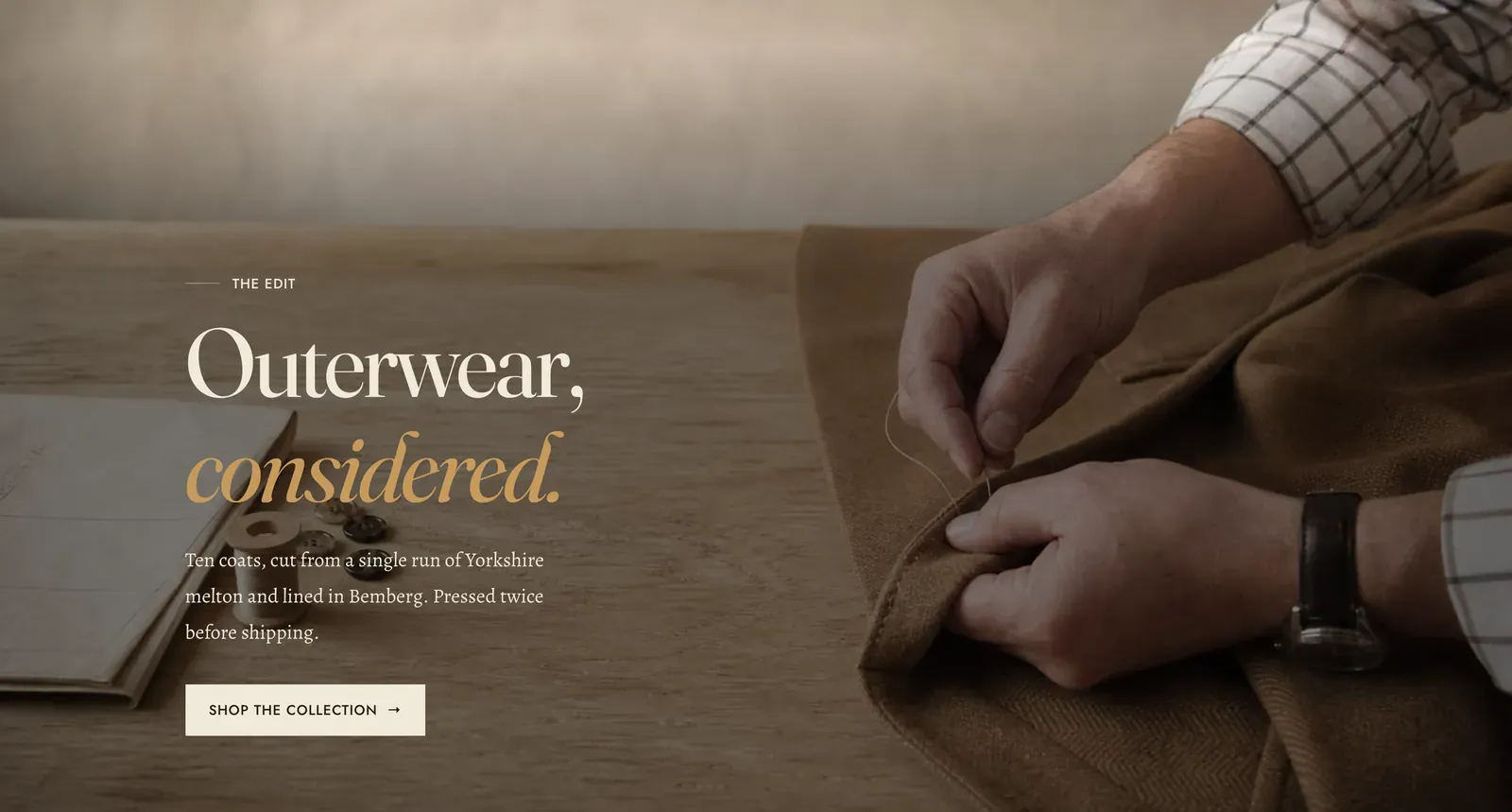
One picture or one film, edge to edge, with whatever you like stacked over it. Unlike every other hero in the theme, Media hero has no fixed copy of its own. You build the overlay out of content blocks. It can be a headline and a button, or a headline, a countdown, a product card and three trust badges.
What it does: Opens a page. It sets the photograph at full bleed, washes it enough for type to be legible, and then gets out of the way of whatever you stack on top.
Key settings (in the section’s settings):
| Setting | What it does | Default |
|---|---|---|
| Color scheme | The colors the blocks read in. Over a dark photograph you want a scheme with light text. | scheme-paper |
| Media type | Image or Video. | Image |
| Image | The picture. Use a landscape file at least 2000px wide, because it is the widest thing on the page. | Empty |
| Mobile image | An optional second file for narrow screens. Without one, the desktop picture is cropped to the middle. | Empty |
| Video | A file uploaded to Shopify, used when Media type is Video. It plays muted and looped, and a visitor who prefers reduced motion sees the first frame instead. | Empty |
| Height | Short, Medium, Tall, or Full screen. | Tall |
| Maximum height | How tall the section may grow on a large monitor. Choose 800px, 900px, 1,000px, 1,100px, or No maximum. It still shrinks on smaller screens. | 900px |
| Direction | Which way the wash runs over the picture. Choose From the bottom, From the left, or None. | From the bottom |
| Overlay strength | Soft, Medium, or Strong. | Medium |
Blocks: any of the content blocks. Those are Heading, Text, Icon with text, Image, Video, Button, Product card, Collection card, Group, Countdown, Deal countdown, Trust badges, Testimonial, Divider, Spacer, and Custom Liquid.
As it arrives it carries four: a Text block in the label style reading “The edit”, a Heading at display size, a Text block in the intro style, and a Button.
When to use it: Use it for one still statement at the top of a page. For several statements that rotate, use Slideshow. For chapters that advance as the visitor scrolls, use Hero scroll sequence. For a picture beside copy rather than under it, use Image with text.
Related: Content blocks · Slideshow · Hero scroll sequence · Lapels support replies within 12 hours.