Contact form
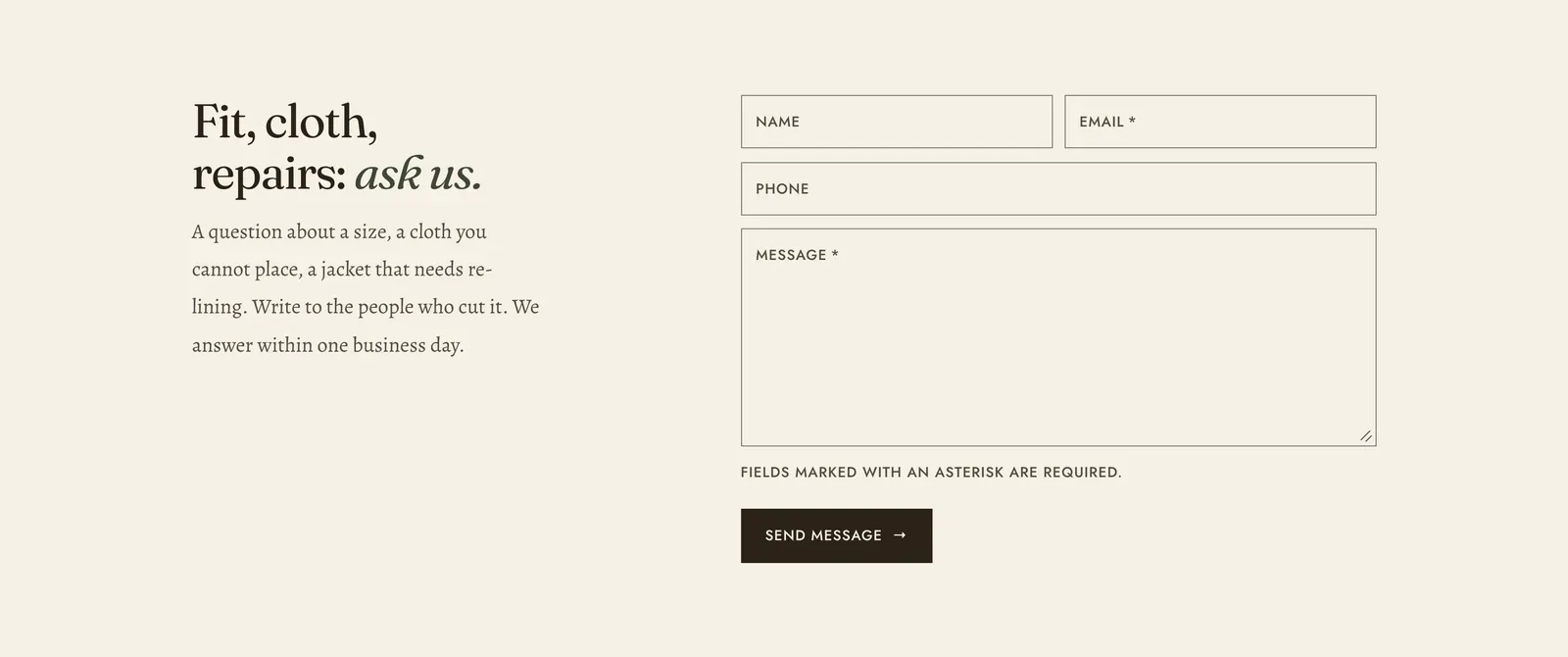
A contact form. It posts to Shopify’s own contact handling, so messages arrive at the sender address set in your store settings.
What it does: Lets a customer ask a question in the place where the question occurred to them, rather than hunting for an email address.
Key settings (the whole section):
| Setting | What it does | Default |
|---|---|---|
| Color scheme | Section colors. | scheme-paper |
| Heading width | Narrow, Normal, Wide, or Full width. | Normal |
| Heading alignment | Left, center, or right. | Left |
| Subheading | An optional small label above the heading. | Empty |
| Heading | The headline. Italicize a word to set it in the emphasis font. | ”Fit, cloth, repairs: ask us.” |
| Intro text | What to write about, and when to expect an answer. | A paragraph inviting questions about fit and cloth |
| Show phone field | Adds an optional phone number field. | On |
The section also carries a Section spacing group. Pick a Device of Desktop or Mobile, then set Top and Bottom.
Blocks: a Custom Liquid block only.
Email and Message are required. Name and Phone are not. Every field carries its own label, required fields are marked, and an error is announced next to the field it belongs to.
When to use it: Use it on a contact page, where the Contact page template already includes one, and at the foot of a help page. To list the ways to reach you rather than take a message, use Contact cards. To answer the common questions before they are asked, put an FAQ above it.
Related: Contact cards · FAQ · Blog and pages · Lapels support replies within 12 hours.