Media carousel
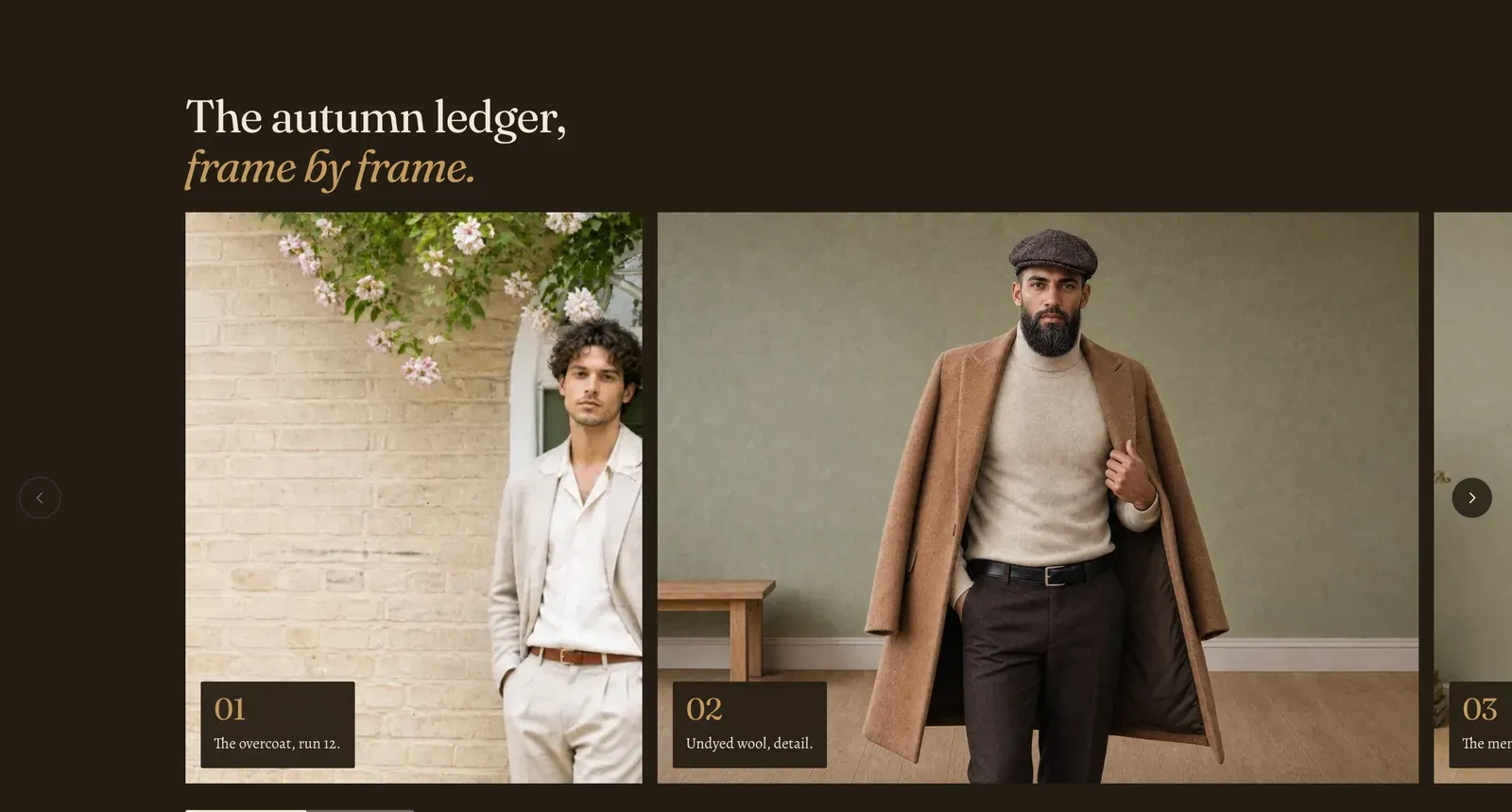
A reel. Large editorial frames run off both edges of the page on a track that snaps to each one, and every frame carries an index number and a short caption in its corner.
What it does: Presents pictures as a sequence to be moved through rather than a grid to be scanned. Because the track snaps, each frame gets the whole width to itself for as long as the visitor stays on it.
Key settings (in the section’s settings):
| Setting | What it does | Default |
|---|---|---|
| Color scheme | Section colors. It arrives dark, which is what makes the frames read as a ledger rather than as page content. | scheme-night |
| Heading width | Narrow, Normal, Wide, or Full width. | Wide |
| Heading alignment | Left, center, or right. | Left |
| Heading | The headline. Italicize a word to set it in the emphasis font. | ”The autumn ledger, frame by frame.” |
The section also carries a Section spacing group. Pick a Device of Desktop or Mobile, then set Top and Bottom.
Blocks: Image and Video, up to 12 between them.
| Setting | What it does | Default |
|---|---|---|
| Image / Video | The frame’s media. A video frame also takes a YouTube or Vimeo URL, a Captions file and a Poster image. | Empty |
| Image ratio / Ratio | Default, Natural, Portrait (4 by 5), Square (1 by 1), Landscape (4 by 3), or Wide (16 by 9). Default crops to 4 by 5 on a phone and 4 by 3 on a desktop, which is usually the right answer. | Default |
| Caption | The line in the frame’s corner. | ”The overcoat, run 12.” |
| Auto index | Numbers the frames in order. Turn it off to write your own. | On |
| Index label | Your own number or code, used when Auto index is off. | ”01” |
| Autoplay and Play as loop | Video frames only. Autoplay is off by default here. | Off, On |
When to use it: Use it for a lookbook you want read in order, or a set of large pictures that deserve the full width each. When everything should be visible at once, use Media mosaic. For a short sequence that fits on one line, use Media row.
Related: Media mosaic · Media row · Slideshow · Lapels support replies within 12 hours.