Contact cards
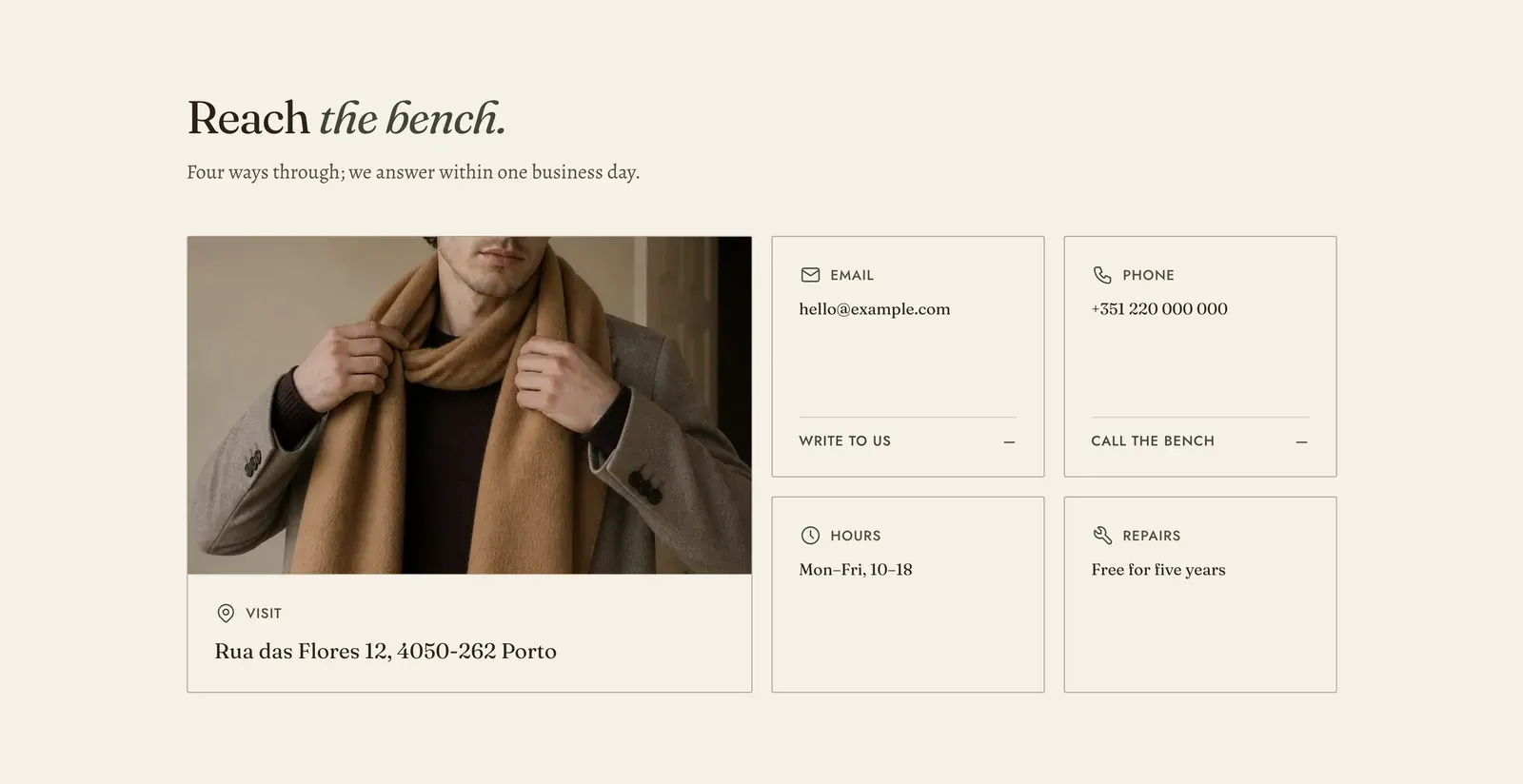
The ways into your store, set out as cards. Each Contact method block is one route, such as an address, a number or an opening time. A Map block adds a tile showing where you are.
What it does: Answers “how do I reach a human?” without a form. Some questions are a phone call, and a store that hides its number reads as one that does not want to be called.
Key settings (in the section’s settings):
| Setting | What it does | Default |
|---|---|---|
| Color scheme | Section colors. | scheme-paper |
| Heading width | Narrow, Normal, Wide, or Full width. | Wide |
| Heading alignment | Left, center, or right. | Left |
| Subheading | An optional small label above the heading. | Empty |
| Heading | The headline. Italicize a word to set it in the emphasis font. | ”Reach the bench.” |
| Intro text | A line under it. This is the place to state your turnaround. | ”Four ways through; we answer within one business day.” |
| Columns on desktop | 2 to 4. | 4 |
The section also carries a Section spacing group. Pick a Device of Desktop or Mobile, then set Top and Bottom.
Blocks: Contact method and Map, up to 7 between them.
| Contact method setting | What it does | Default |
|---|---|---|
| Icon | Choose Envelope, Telephone, Map pin, Speech bubble, Support, Worldwide, Repairs, Clock, Gift, Delivery, Parcel, Returns, or Cross. | Envelope |
| Label | What kind of route this is. | ”Email” |
| Value | The address, number or hours themselves. | ”hello@example.com” |
| Link | Where the card goes. Use mailto: for an email and tel: for a phone number so a tap opens the right app. | Empty |
| Action | The link’s wording. Leave it empty on a card that is information rather than a route, such as opening hours. | ”Write to us” |
| Map setting | What it does | Default |
|---|---|---|
| Map image | A picture of the place, or a map still. | Empty |
| Label | The card’s kind. | ”Visit” |
| Address | The address, printed as text. | ”Rua das Flores 12, 4050-262 Porto” |
| Coordinates | The latitude and longitude Google Maps shows in its own link, separated by a comma. | ”41.1436,-8.6118” |
| Zoom | 1 to 20, for the map the action opens. | 15 |
| Action | The link’s wording. | ”Open the map” |
When to use it: Use it at the top of a contact page, above a Contact form. The routes come first, and the form covers everything they do not.
Related: Contact form · FAQ · Footer · Lapels support replies within 12 hours.