Featured product
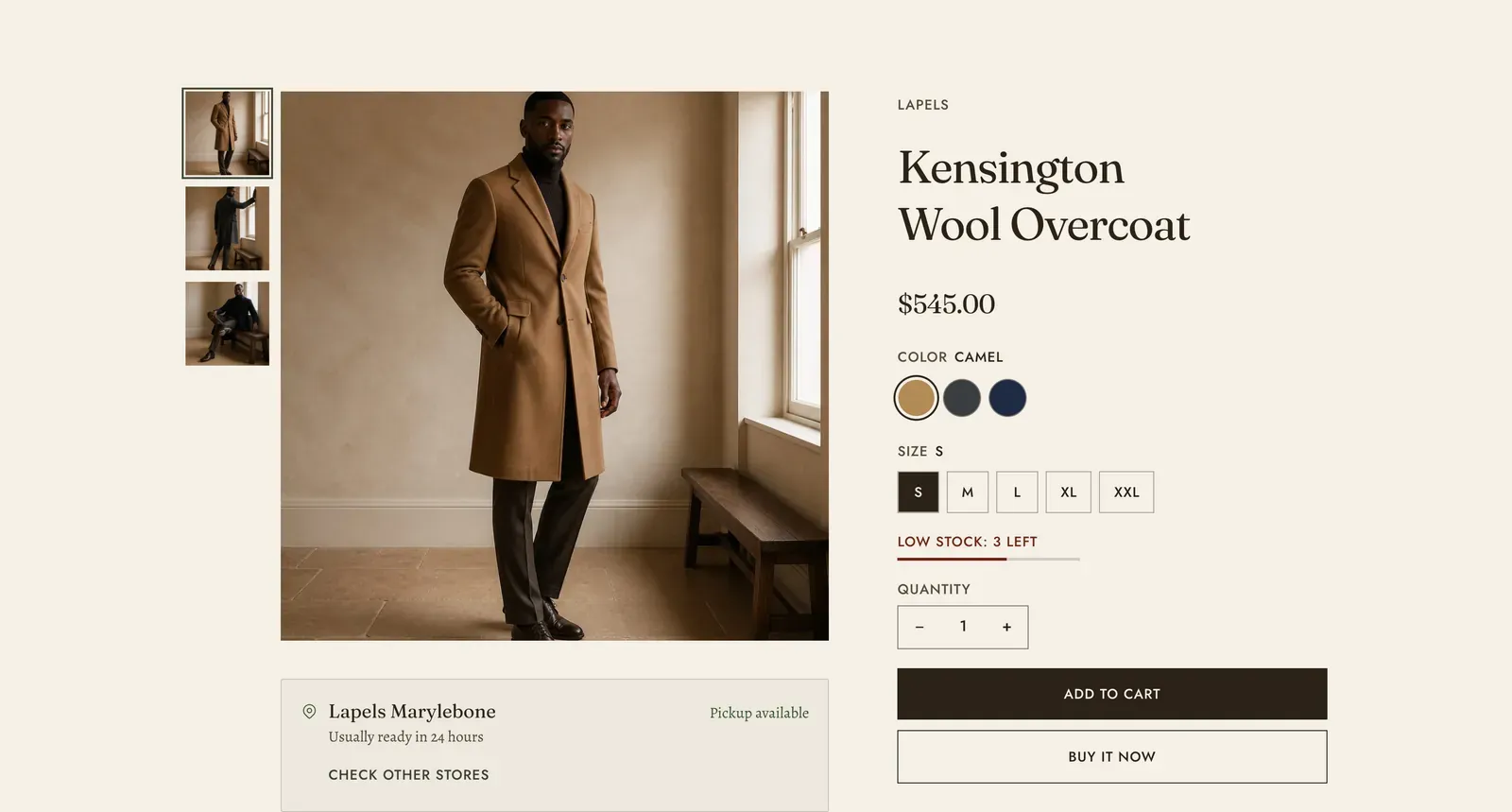
A complete product, set into a page that is not its own. The gallery, the variant pickers, the quantity stepper and the buy buttons all work exactly as they do on the product page, because they are the same parts.
What it does: Lets a page sell one specific thing. Use it for a landing page about a single piece, a collaboration, or a gift guide that ends on the product it has been describing.
Key settings (in the section’s settings):
| Setting | What it does | Default |
|---|---|---|
| Color scheme | Section colors. | scheme-paper |
| Product | Which product to show. | Empty |
| Image position | Left or Right. | Left |
The section also carries a Section spacing group. Pick a Device of Desktop or Mobile, then set Top and Bottom.
Blocks: the section arrives with two areas, Media and Information, and you fill each with blocks.
Media carries the gallery and its own settings.
| Setting | What it does | Default |
|---|---|---|
| Layout | Thumbnails below, Thumbnails at the left, or Stacked. | Thumbnails at the left |
| Image ratio | Tall (2 by 3), Portrait (3 by 4), Square (1 by 1), or Landscape (4 by 3). | Square |
| Magnify on hover | A lens follows the pointer and shows the cloth close up. Pointer devices only. | On |
| Magnification | 1.5x to 4x. | 2.4x |
| Zoom on click | Opens the picture full size. | On |
Information holds the selling blocks, in the order you put them. They are Product title, Vendor, Product meta, Price, Variant picker, Purchase options, Quantity, Buy buttons, Description, SKU, Inventory, Collapsible row, Share, Installments banner and Pickup availability. The shared content blocks are available too: Countdown, Deal countdown, Trust badges, Icon with text, Testimonial, Text, Divider, Spacer and Custom Liquid.
Every one of these is the same block the product template uses, and they are documented in full on the Product template page.
When to use it: Use it when a page is about one product. For several products, use Featured collection or Product carousel. For a set meant to be bought together, use Product bundle.
Related: Product template · Product bundle · Content blocks · Quick view · Lapels support replies within 12 hours.