Countdown
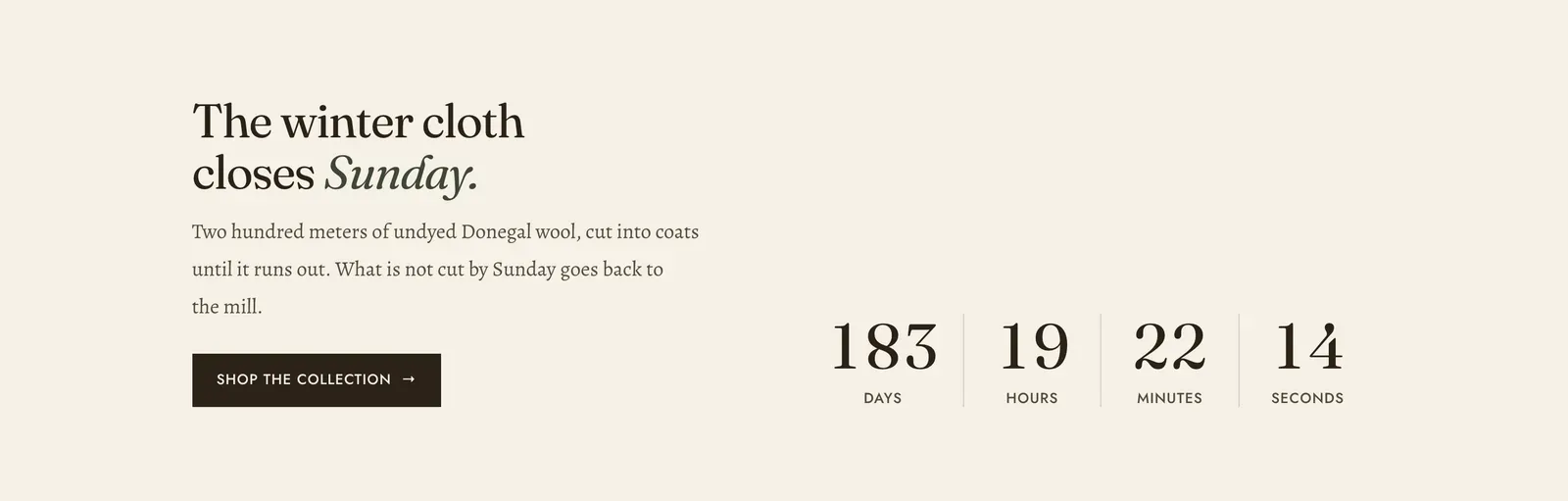
A clock running down to a date you set, with a headline and a link beside it.
What it does: Gives a reason to act now. It is for a genuine deadline, such as a cloth that runs out, a pre-order window, or a season closing. It is also honest about what happens afterwards, because you write that message too.
Key settings (the whole section):
| Setting | What it does | Default |
|---|---|---|
| Color scheme | Section colors. | scheme-paper |
| Heading width | Narrow, Normal, Wide, or Full width. | Normal |
| Heading alignment | Left, center, or right. | Left |
| Subheading | An optional small label above the heading. | Empty |
| Heading | The headline. Italicize a word to set it in the emphasis font. | ”The winter cloth closes Sunday.” |
| Intro text | The paragraph under it. | A note about the Donegal wool run |
| Ends on | The deadline, written YYYY-MM-DD HH:MM in your store’s timezone. For example, 2026-11-29 23:59. | A date in 2027 |
| Message once it has ended | Takes the place of the clock after the date passes. | A line about the run being cut |
| Link label and Link | The button beside the clock. | ”Shop the collection” |
The section also carries a Section spacing group. Pick a Device of Desktop or Mobile, then set Top and Bottom.
Blocks: a Custom Liquid block only.
When to use it: Use it once, on the page the offer is about. For a clock inside another section’s layout rather than a section of its own, the Countdown and Deal countdown content blocks do the same thing in a smaller space.
Related: Content blocks · Announcement bar · Newsletter · Lapels support replies within 12 hours.