Media row
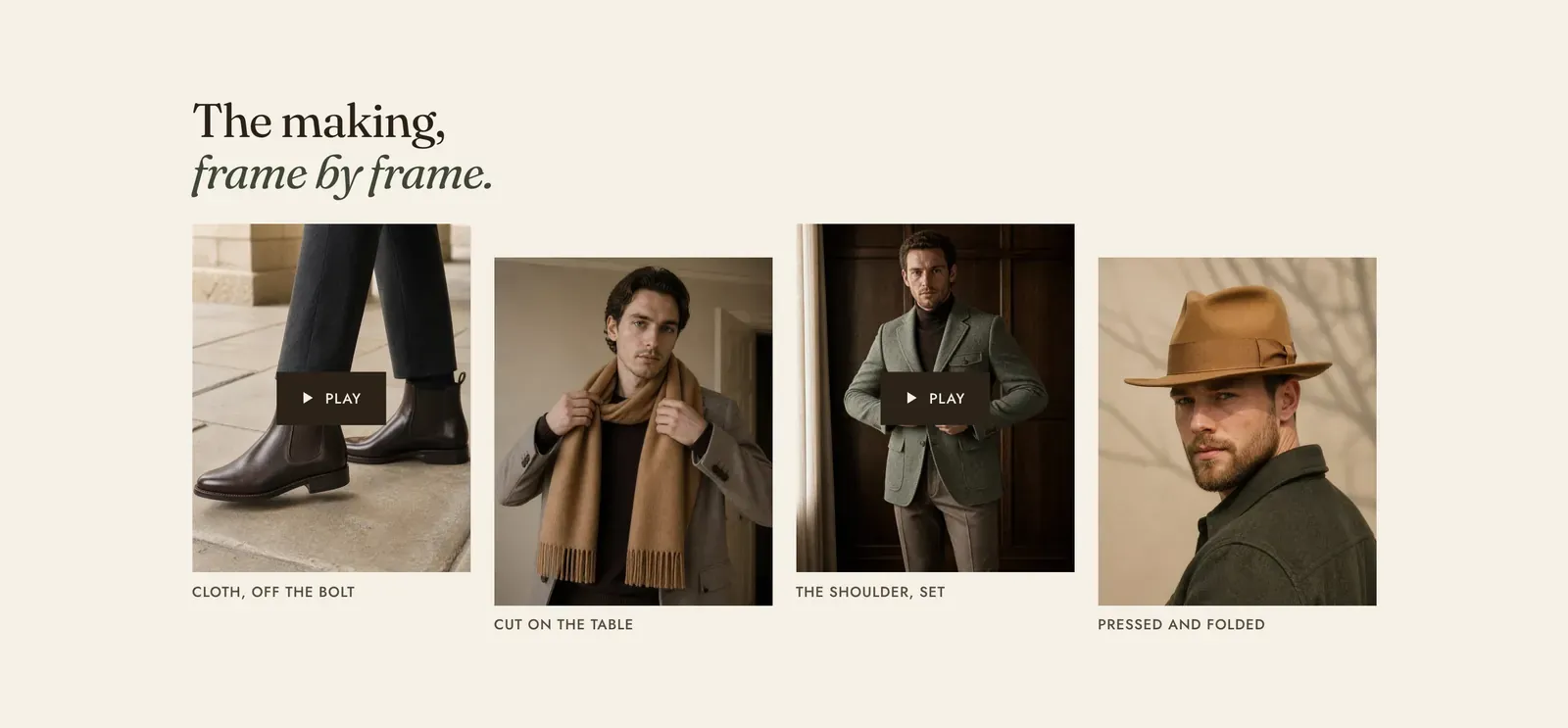
A row of frames, each one a photograph or a short film with a caption under it. Each Image or Video block is one frame, and the row can be set level or deliberately uneven.
What it does: Runs a sequence across the page, such as four moments of a process or four details of a piece. The stepped and offset layouts are what stop it reading as a plain grid of thumbnails.
Key settings (in the section’s settings):
| Setting | What it does | Default |
|---|---|---|
| Color scheme | Section colors. | scheme-paper |
| Layout | Level sets every frame on one line. Steps walks them down or up in order. Offset raises and drops alternate frames. | Offset |
| Step height | How far the frames move against each other. Choose Shallow, Normal, Deep, or Extra deep. It is ignored when the layout is Level. | Normal |
| Heading width | Narrow, Normal, Wide, or Full width. | Wide |
| Heading alignment | Left, center, or right. | Left |
| Subheading | An optional small label above the heading. | Empty |
| Heading | The headline. Italicize a word to set it in the emphasis font. | ”The making, frame by frame.” |
| Intro text | An optional line under it. | Empty |
The section also carries a Section spacing group. Pick a Device of Desktop or Mobile, then set Top and Bottom.
Blocks: Image and Video, up to 5 between them.
| Image setting | What it does | Default |
|---|---|---|
| Image | The picture. | Empty |
| Caption | The line under the frame. | ”In the workroom” |
| Button label and Button link | An optional link under the caption. | Empty |
| Video setting | What it does | Default |
|---|---|---|
| Video | A file uploaded to Shopify. | Empty |
| YouTube or Vimeo URL | Or an embed link, used when no file is picked. | Empty |
| Captions file | A WebVTT (.vtt) file, for a film with sound. Upload it to Content → Files first. | Empty |
| Poster image | The still shown before play. | Empty |
| Autoplay | Off by design here, because several films playing at once in one row is just noise. | Off |
| Play as loop | Repeats the film. | On |
| Caption, Button label, Button link | As for an image frame. | ”In the workroom” |
When to use it: Use it for a sequence of four or fewer moments. For a larger, deliberately uneven arrangement, use Media mosaic. For frames that run off the edge and are swiped through, use Media carousel.
Related: Media mosaic · Media carousel · Video · Lapels support replies within 12 hours.