Spec table
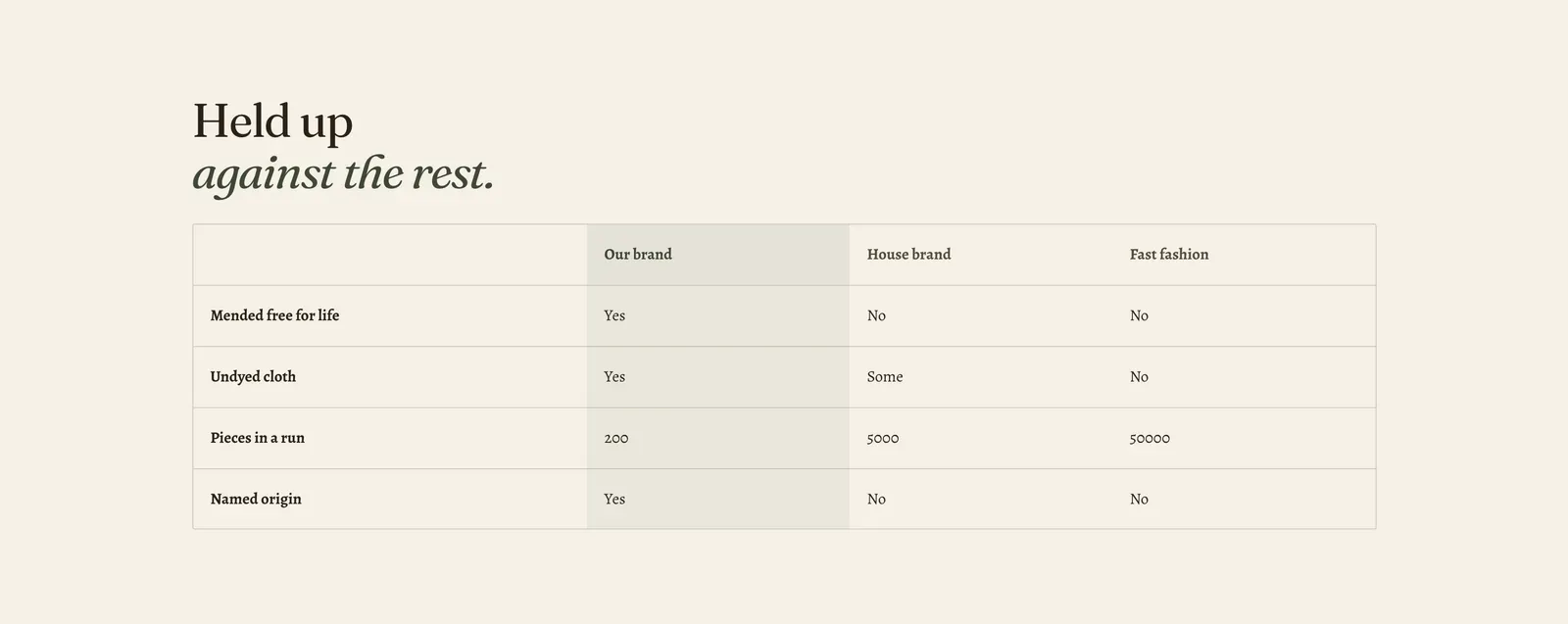
A table you build yourself. Each Column block is a column, and each Row block is a line across them. So the same section becomes a competitor comparison, a size chart, a care matrix, or a bill of materials, depending only on what you type.
What it does: Carries structured facts that no purpose-built section fits. It is the general-purpose table for a store that needs one.
Key settings (in the section’s settings):
| Setting | What it does | Default |
|---|---|---|
| Color scheme | Section colors. | scheme-paper |
| Layout | Box draws the table with column headers and rules. List drops the headers and sets each row as a labeled line, which is what a size chart or a spec list usually wants. | Box |
| First column names the row | Reads the first value of every row as that row’s name, so a screen reader announces “Mended free for life: Yes” instead of a bare “Yes”. | On |
| Heading width | Narrow, Normal, Wide, or Full width. | Wide |
| Heading alignment | Left, center, or right. | Left |
| Subheading | An optional small label above the heading. | Empty |
| Heading | The headline. Italicize a word to set it in the emphasis font. | ”Held up against the rest.” |
| Intro text | An optional line under it. | Empty |
The section also carries a Section spacing group. Pick a Device of Desktop or Mobile, then set Top and Bottom.
Blocks: Column and Row, up to 24 between them. Add a Column for every column, then a Row for every line.
| Column setting | What it does | Default |
|---|---|---|
| Column name | The header in Box layout. List layout has no headers, so it is only used to label the column for a screen reader. | Empty |
| Style | Heading, Label, Text, or Figure. Figure sets numbers in the theme’s tabular figures so decimal points line up. | Text |
| Width | Fit the content, Narrow, Normal, or Wide. | Normal |
| Alignment | Left, center, or right. | Left |
| Highlight this column | Shades one column. Use it for the one you are recommending. | Off |
| Row setting | What it does | Default |
|---|---|---|
| Values | One value per column, separated by the | (pipe) character, in the same order as the columns above. | ”Mended free for life|Yes|No|No” |
When to use it: Use it for a size chart (List layout, measurements across), a comparison against alternatives (Box layout, with the Highlight on your own column), or a materials list. When the columns are actual products from your catalog, use Product comparison instead. It pulls the pictures and prices in for you. When the columns are things to buy, use Pricing table.
Related: Product comparison · Pricing table · Text tabs · Lapels support replies within 12 hours.